 |
| Foresight Linux Logo |
Introduction
Foresight Linux is based on rPath Linux and so it is using the conary package management that rPath has developed. It uses a rolling update system, just like Arch Linux. It also is the "official" Gnome liveCD, which means that it is probably the best Linux distribution that one could use to see the latest improvements of the Gnome desktop. Version 1.4 is just a snapshot of the repository, and it contains the 2.6.22 Linux kernel, Gnome 2.20, Gimp 2.4RC as well as OpenOffice.org 2.3. Of course many of the new Gnome desktop tools are preinstalled as we will explain in much detail later. You can have a look at the Distrowatch page of Foresight Linux to get a better idea about the packages offered.
Installation
Foresight uses Redhat's Anaconda installer which is probably the best and easiest graphical installer available. There is no package selection, you just select the partition settings, root password and some firewall and network settings before you start installing the base system. Strangely enough you do not add a user besides root when running Anaconda, instead you are prompted to add one in an ncurses-like dialog upon your first boot. Also the first user that you create has access to the sudo command.
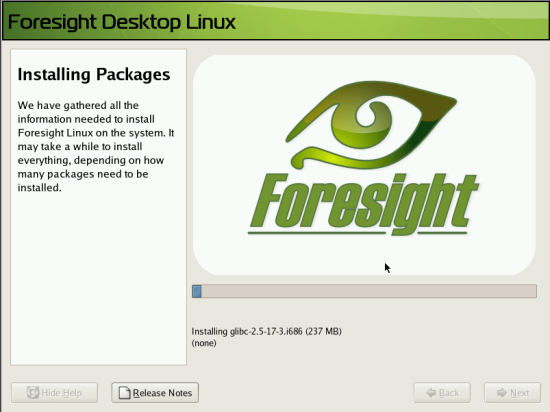 |
| Foresight's installer uses the Anaconda installer and is easy enough even for a complete newbie. |
Usage
Desktop
Upon installation the user will see a very nice default Gnome desktop. Foresight uses its own window border and GTK theme and the Tango icons. The dominant color is green and the backgrounds in GDM and the desktop are pretty nice as well. There is no boot screen splash.
The desktop is the latest and greatest Gnome 2.20 and applications include Firefox, Epiphany for browsing, Evolution for email needs, Pidgin for instant messaging, OpenOffice suite, Totem and Banshee for multimedia, Brasero for CD burning and many more.
So lets go in details about the user experience. First of all the user will notice that all necessary codecs for mp3 and other restricted formats are already installed, as is Flash 9 and Java. Many will disagree with that choice but it does give Foresight a positive mark in out of the box experience. Binary drivers should are easy to install as well, while Foresight includes a graphical tool to use ndiswrapper for using Windows drivers for wireless cards, solid wireless support with Network Manager and a handy tool for configuring the Display settings (a frontend for xorg.conf editing). Compiz is also installed by default and easily enabled by the icon in the system tray. Desktop search is made easy with Beagle (also in the system tray). Bottom line, I was able to start doing common everyday tasks right away in Foresight, which is a big positive point given all the extra installations and configuration you need to do in most distros.
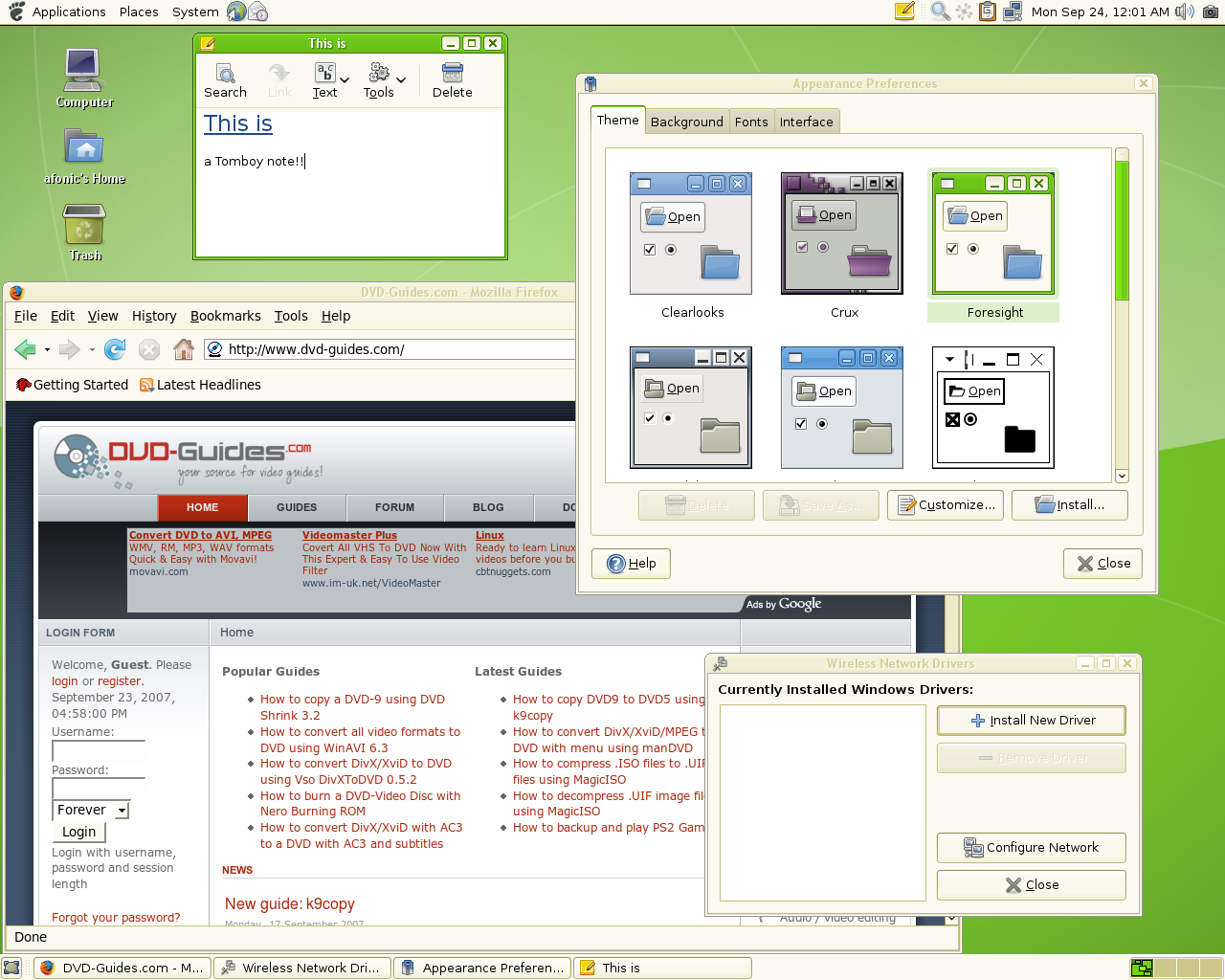 |
| Foresight running Firefox. You can also see the new Gnome 2.20 "Appearance" control panel, Tomboy notes, the tool for easy ndiswrapper usage for unsupported wireless cards (and not only). (click for the full size image) |
Package management
Package management is handled by Conary. As we read in Foresight's documentation "Conary is a package manager similar to dpkg or rpm, in that it will install or remove software on your computer, query which versions of software are installed, or help find an available package for installation. One key differentiator of Conary not found in other package managers, that after the initial download of a package, updates are faster as Conary only downloads the updates to the file, and doesn't require a full binary for download.".
There is no graphical interface for Conary, install you will find "Foresight System Manager" which is a web GUI that will help you handle packages and updates , read system logs as well as change some other system settings. However you cannot login into Foresight System Manager with your user or even root password. Instead you login with the default values and then change the password, which makes you have yet another password to remember. (sure you could use the same one like your user login but I think there is some reason they made them different).
Foresight System Manager can handle searching and installing a package, upgrading your system and setting up automatic upgrades. However I found some problems, for example when I searched for amaroK and then proceeded to the install it just stuck after downloading some of the files and did nothing. Closing it and retrying just made it stuck again, and only after a restart everything was working. Also when searching for packages it displays multiple versions from multiple repositories which besides confusing the user makes me wonder if everything is compatible. (for example my search for amarok displayed 3 results)
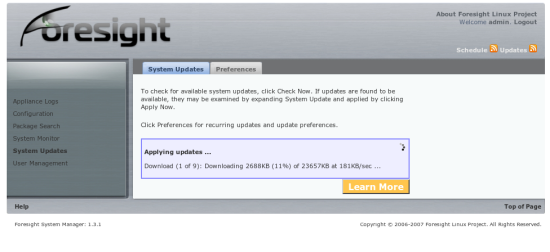 |
| The Foresight System Manager while installing some packages. |
To be honest I gave up on it after a few tries and just used Conary from the command line, which is not hard to do if you read the documentation. It is a solid package manager although it *seems* a little more complex that it should. Of course these are my first thoughts and after using it for a while I may say its the easiest package manager ever! To get your system up to date you just have to type "conary updateall". In the end Conary does get the job done and the repositories are pretty good covering most software you'll need so you don't need to go hunting elsewhere. Also downloading only the changes in the packages when upgrading your system instead of everything means you will spend much less time downloading. Even though I found pretty much everything I needed in the repositories, I noticed that even though Gnome packages are very up to date, KDE-based ones are out of date. For example k3b was 0.12.x and amaroK 1.4.5.
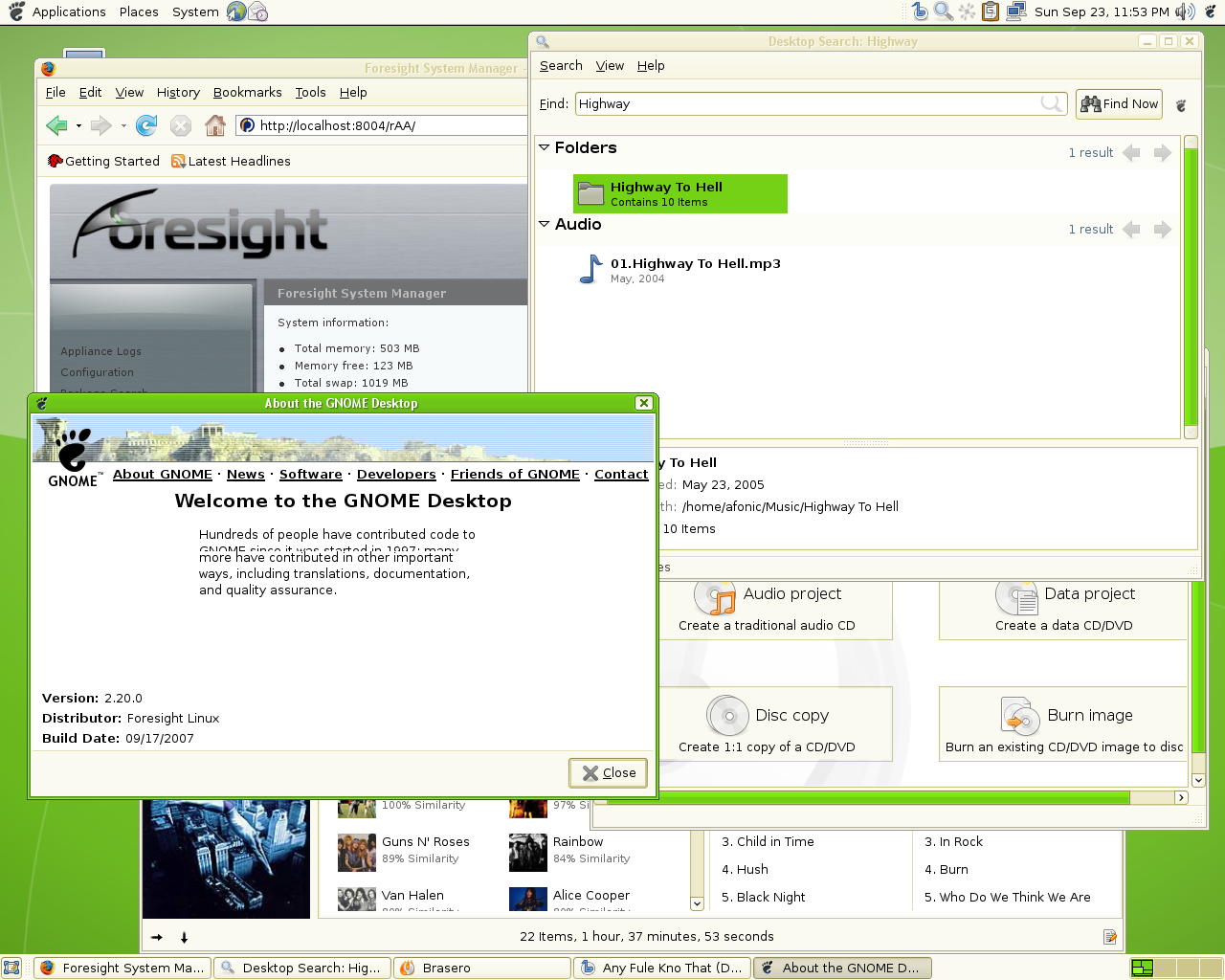 |
| Using Firefox (with Foresight System Manager loaded), Beagle search tool, Brasero CD/DVD burning application and Banshee on Gnome 2.20. |
Conclusion
Foresight Linux offers a good out of the box experience, meaning that it is almost ready to use upon installation from the average user, including restricted codecs and Flash support. It also offers the latest Gnome version plus very highly up to date versions of its default applications. It behaved really well in terms of speed and stability and the installation process and default themes are polished and high quality. However there are some drawbacks, for example the lack of an easy frontend for application search and installation, something that all distros aimed to the desktop users have nowadays. Also the community is rather small, you will however get excellent support in the official forums and the IRC channel.
Personally I was not so impressed that I would suggest everyone to try it, however Foresight is a solid distro using innovative new tools and technologies. It may have not convinced me that it could be my next distro (like Arch did) but I think that it will improve in the future so that it really becomes one good choice for every Linux user out there.