Print
This guide will explain how you can compress .ISO files to .UIF files using MagicISO. A Universal Image Format(UIF) image is a powerful compression image file format for backuping CD's and DVD's. This image format is mostly used because it can reduce the file size of an image file and because it can password protect image files very simply. You can download a free trial of 'MagicISO' here in this free trial you can only save image files upto 300mb, if you have a file larger then that you wish to decompress you can buy the full version (which can safe files upto 10GB). In this guide we will explain how you can compress an ISO file to an UIF file with and without password encryption.


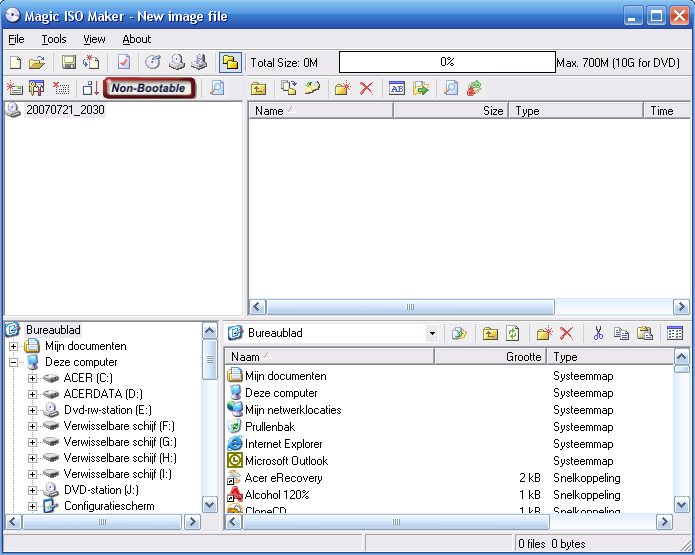
The first thing you should do is either download or buy a copy of MagicISO (depending on the files you want to compress/decompress). After you downloaded, installed and opened MagicISO you should see something like this:


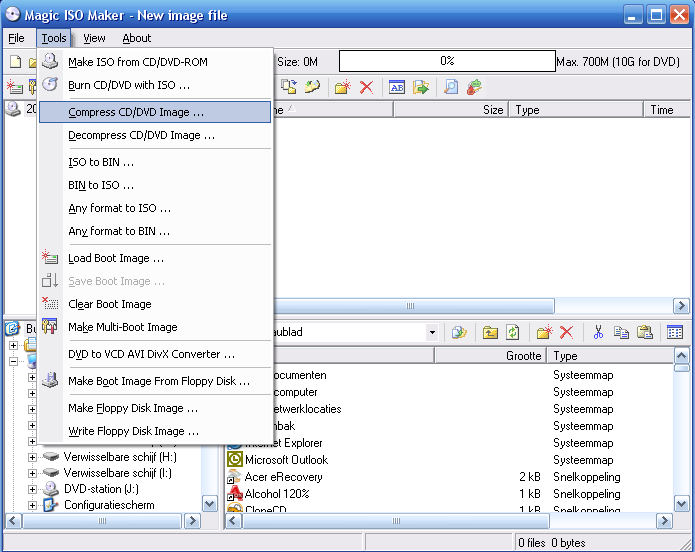
When you arrive at a similar screen like the above image you should select 'Tools'  >> Compress DVD/CD Image' in the top program bar, just as showed here:


After that you should see a screen appear in which you can choose the 'source file' which is the .ISO file you want to compress and the 'output file' this is the location you want to compress the .UIF image file too. It should look similar to this:
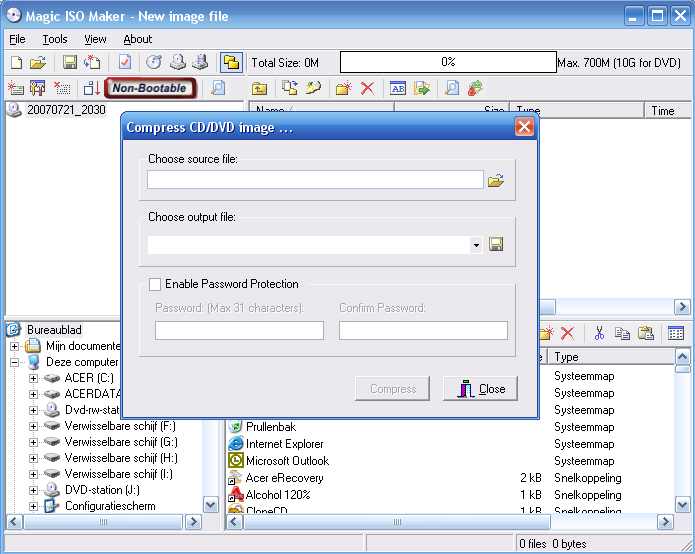


After you fileld out the source and the output file and you dont want to encrypt your file you can simply press the compress button and your done, if you want to encrypt your file you should do the following.

(Optional: 'Encryption')
If you would like to encrypt your file you can simply enable the password protection and fill out the password and press the 'Compress' button if everything went succesfull you should see the following:
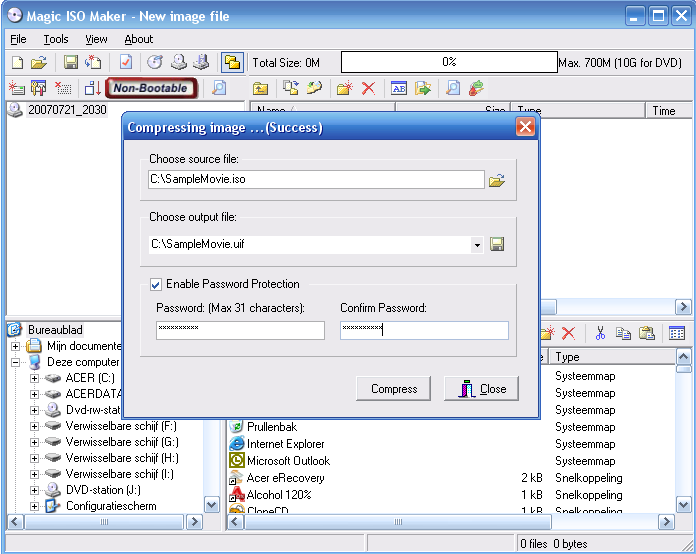


Now your .ISO file has been succesfully compressed to a .UIF file with password encryption!
×
We use cookies to personalise content and ads, to provide social media features and to analyse our traffic. We also share information about your use of our site with our social media, advertising and analytics partners.