This small guide shows you how to
use DVD Decrypter, which is a fantastic free program to rip the DVD files
at your hard disk and remove protection together. Then you can use the files
for encoding and editing purposes.
You can find DVD Decrypter at the tools page. Here
we go with the guide!

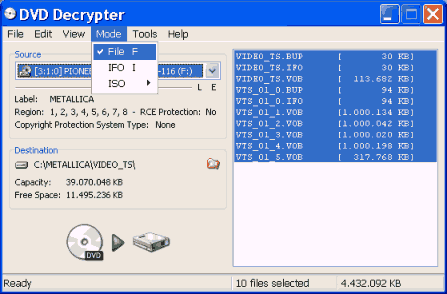 |
Start DVD Decrypter and select Mode -> File. |

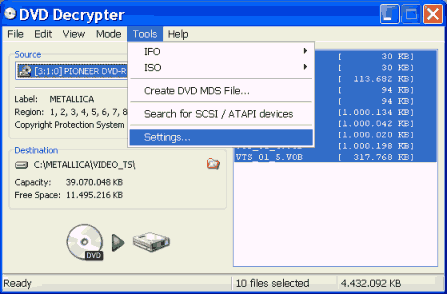 |
Then open the Settings window from Tools -> Settings. |

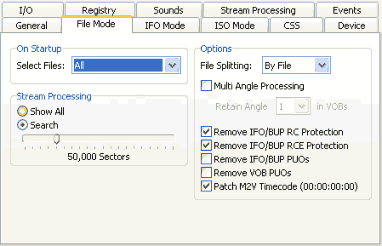 |
Select the File Mode tab and change the settings to this ones. Click OK. |

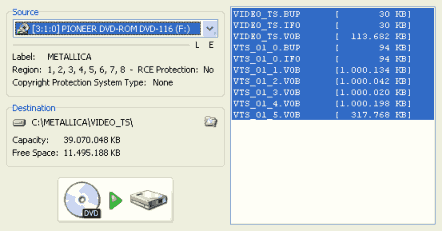 |
Finally after you make sure that all the files are selected click the button to start the ripping proccess! |