

I bet there are some times that you have a song or a part of a movie or even some of your own moments in a DVD that you'd like to post on your YouTube account. In this guide we will use DVDFab in order to convert pieces of a DVD to flv format, for easy uploading and processing at YouTube.
You can download DVD Fab here. Note that DVD Fab is a single download but if you intent to use it for more than 30 days, you need to buy the DVD Ripper feature.

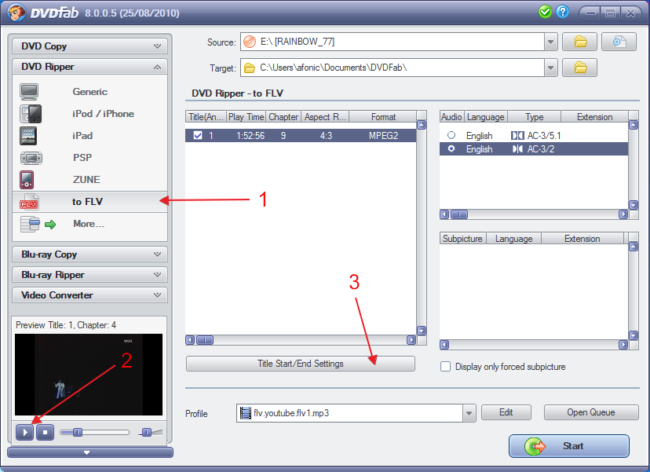 |
Open up DVDFab and load your DVD. From the DVD Ripper area select "to FLV" (1). Use the preview area (2) you can view your DVD. Find the song / part you want to rip and note the chapter number that you can read above. Click "Title Start/End Settings" (3) and check the next step. |

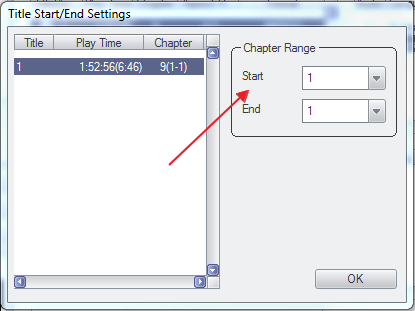 |
Simply select the Chapters you want to rip here. For just one chapter, set the Start and End at the same value as shown here. Click OK. |

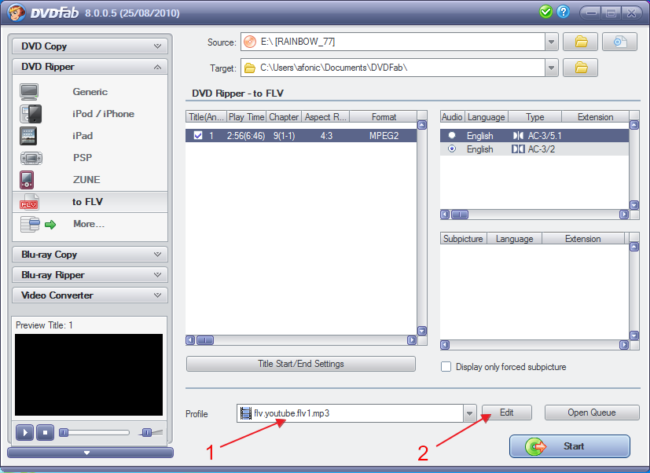 |
Now you are back at the main program window. Select the flv.youtube.flv1.mp3 profile (1) and then click Edit (2). |

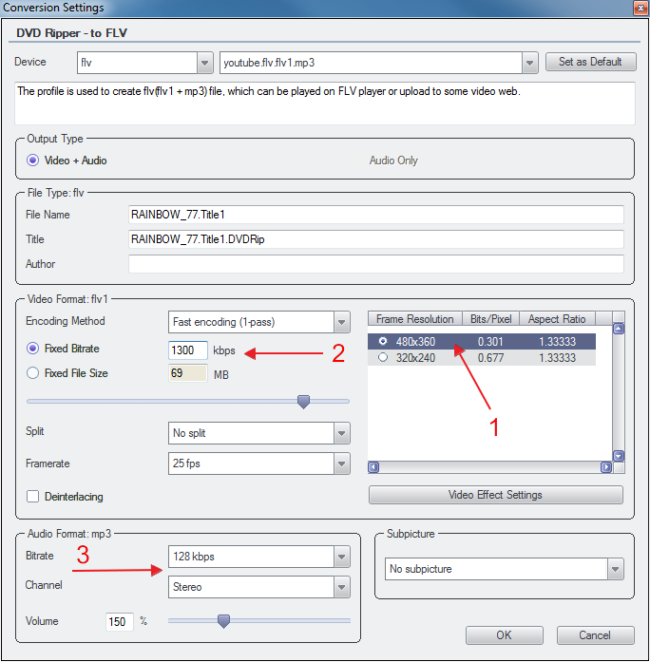 |
Don't get confused by the variety of the settings, we only need to check three things. First of all make sure 480x360 (1) is set as the resolution. Next a bitrate of 1300 kbps is more than enough for our needs so set it in the Fixed Bitrate (2) field. Below that you can see the aproximate size of the resulting file. Finally, if audio is important (for example you are sharing a music video) make sure the bitrate is at 128 kbps and the channel is Stereo in the Audio Format area (3). Click OK once again. |

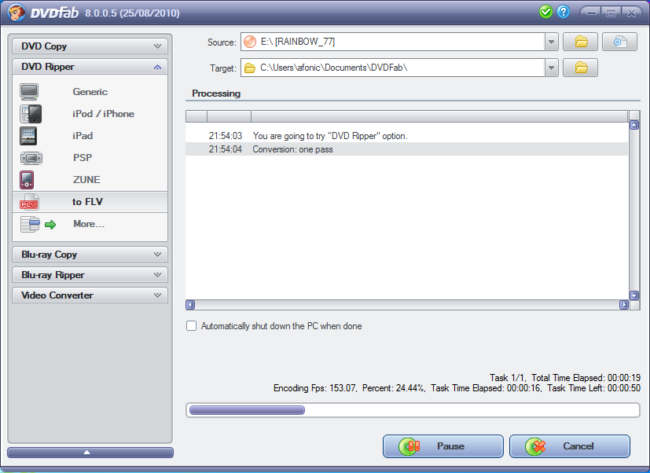 |
Back in the main window click Start and this is it! In a few moments you will have a fully compatible YouTube video file, that will significantly lower the time you need to uploading it and that YouTube needs to process it. Now simply use YouTube's upload page and share it with the world! |
Comments