

There are a lot of guides in our site that cover authoring a video DVD, playable in all standalone players, from various video files. However software keeps improving so we have to adjust our site's content in order to keep it updated to the latest installments. One of those, DVD Flick, an excellent open source program that makes heavy use of ffmpeg in order to convert a massive amount of different video formats and burn them to a video DVD.
In this guide we will explain in detail how to use DVD Flick, and when appropriate compare to other solutions.

 |
|
|

 |
|
|

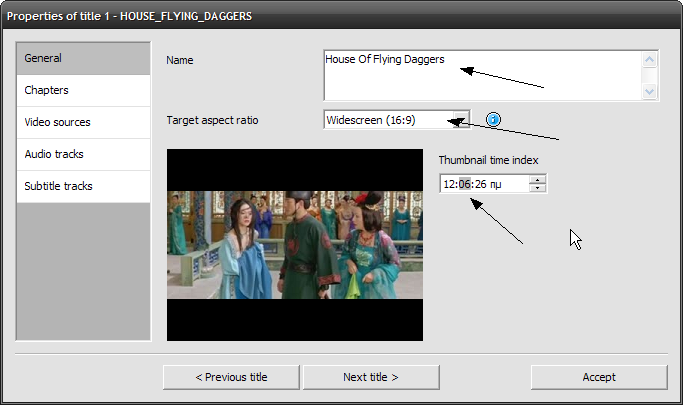 |
In the General settings, make sure you write the name of the movie / episode cleanly as this is what will appear in the DVD menu. The Target aspect ratio should already by detected, just check it to make sure it is correct. If needed you can change the Thumbnail time index in order to change the thumbnail of the video file that will appear in the program and the menu. When ready, move to Chapters tab. |
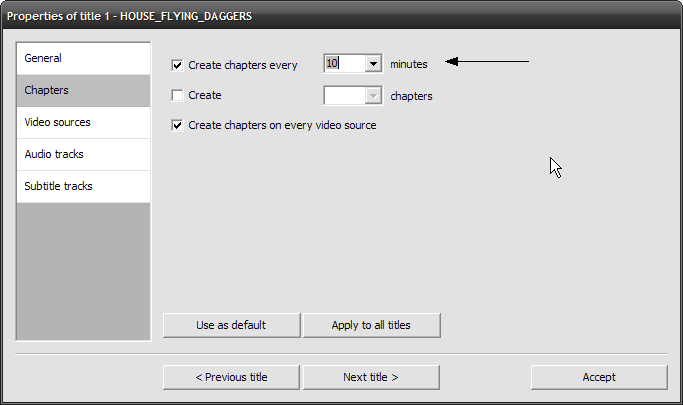 |
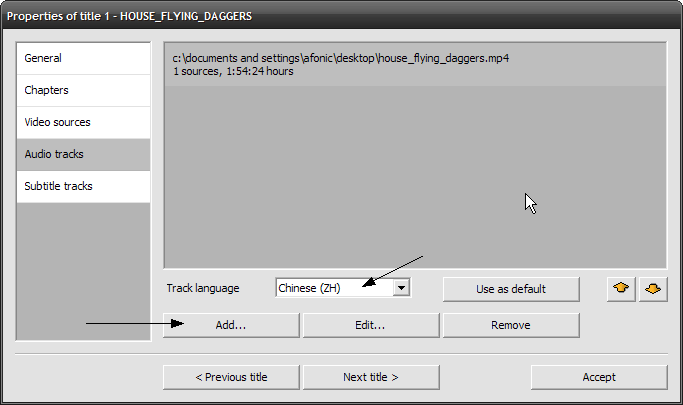
It is a good idea to add some chapters in our DVD in order to navigate more easily through the movie, so select Create chapters every and set the time to whatever you like. Next, move to Audio Tracks. |

 |
|
While Matroska (.mkv) is in the list of DVD Flick's
supported formats, some files refused to correctly add the audio tracks
and in some other ones the subtitles where missing. In that case you
can use this
guide to split the mkv file before and add each audio and
subtitle stream manually. |

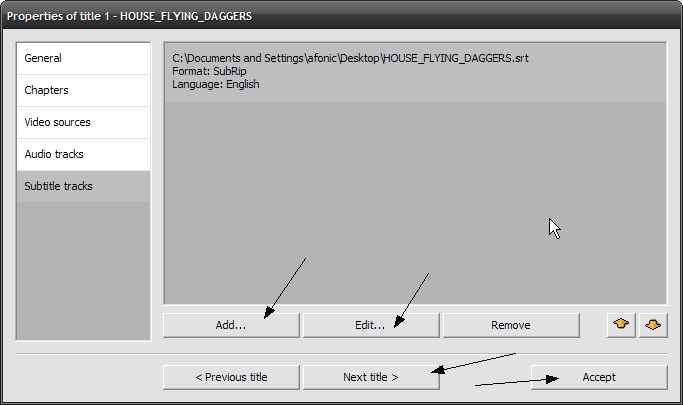 |
In the Subtitle tracks tab you can manage your subtitle streams. Most of the popular types like .srt, .sub etc are supported. Add a file and then click Edit to control the subtitles appearance. |
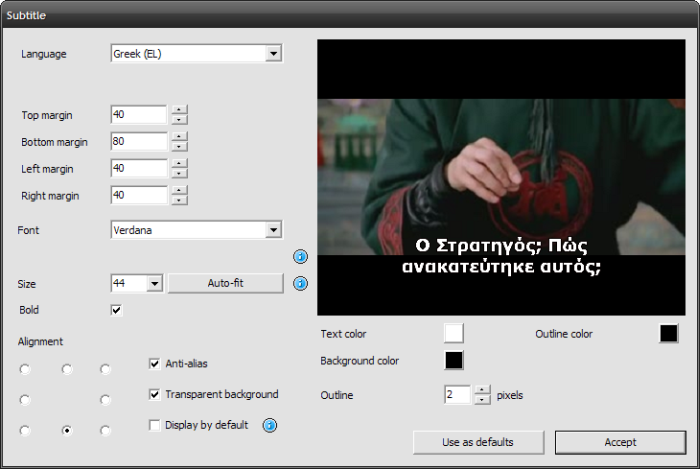 |
| Here you can set the Language and change the margin values so that the subtitles appear where you want them. It's a good idea to click Auto-fit or change the size yourself to your liking. The rest of the options provide pretty good results as is, so feel free to leave them at their default values and click Accept. |

| Close the Title
settings screen we opened in Step 3 and in the main window
open the Project
settings dialog by clicking the button with the same name. |
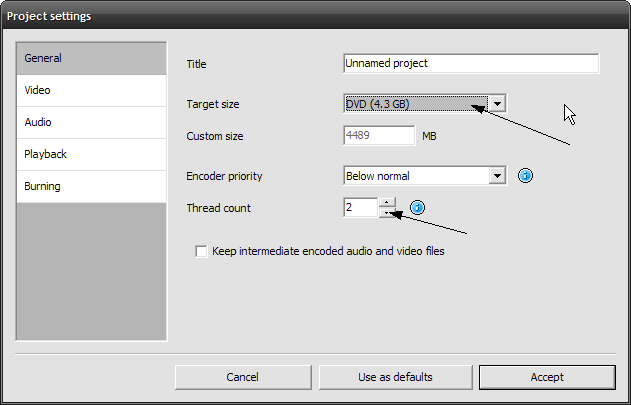 |
In the General settings make sure the Target size is at 4.3GB (unless you want to create a DVD9 of course!) and set the number of Thread count according to your CPU. (for example for dual core set it to 2, for quad core set it to 4) Next, click the Video tab. |
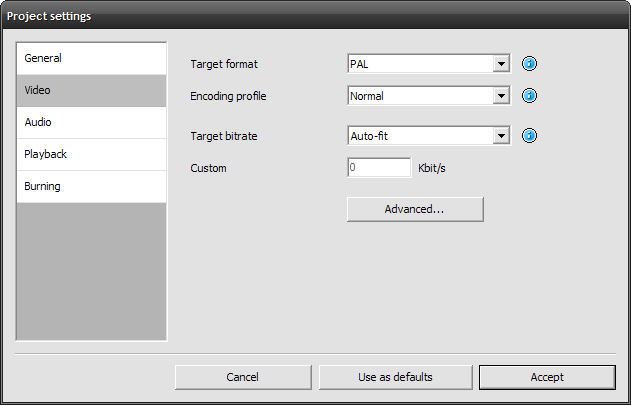 |
Here you have to set the Target format depending on what your DVD player supports. Encoding profile is actually a choice between quality and speed. If you want to convert as fast as possible, obviously select Fast. Otherwise Normal is good enough. Use High only if you have put a lot of video in the DVD (other 2 hours) and you want to i quality as much as possible. Target bitrate should be set to Auto-fit. Finally click at the Burning tab. |

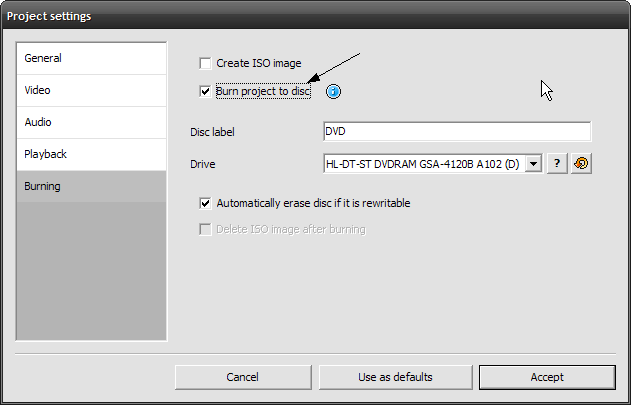 |
DVD Flick includes ImgBurn in order to create an ISO or burn a DVD right after it finishes processing the files. Of course if you select nothing here it will just create the DVD files. It is generally a good idea to check the video files before you burn the DVD so you may want to leave this off or just create an ISO. In our example I enabled burning a DVD right after the encoding is done. Click Accept to get back to DVD Flick main window and there, click the Menu settings button on the toolbar. |

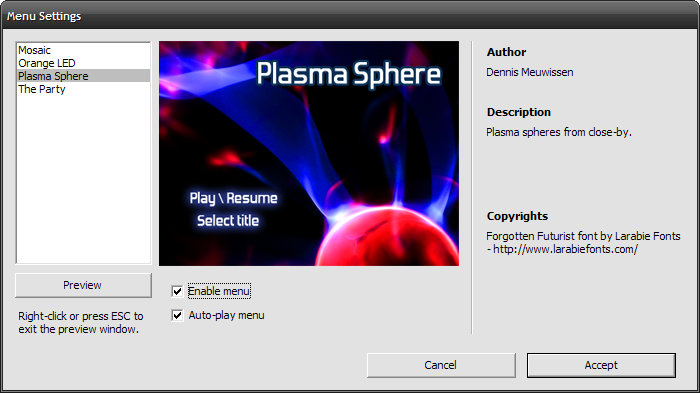 |
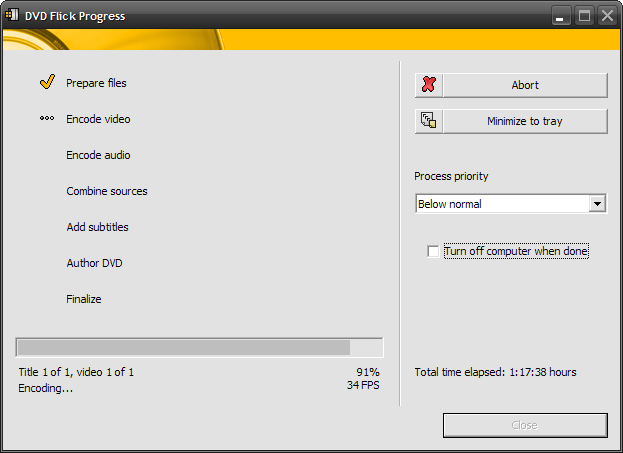
Everything is pretty straightforward here: if you want a menu choose the appearance you like the most, select Enable menu and Auto-play and click Accept. Double-check everything and when you are sure you are ready, click the Create DVD button in the main window to start the conversion. |

 |
That's it! DVD Flick is a great piece of free software. While being extremely powerful and feature full, it remains user friendly. The only downside I could find was a few bugs when dealing with out of the ordinary formats like WMV and RealVideo and the conversion speed. Even in "Fast" encoding profile it was over 50-80% slower when compared to commercial solutions like ConvertXToDVD. Generally I suggest you give it a try, you have nothing to lose and chances are you won't be disappointed, especially when comparing it to other free / open source solutions. For problems or questions feel free to visit our forums. |
Comments
no need to do that, ImgBurn will handle burning a DVD video just fine (check the guide in the DVD burn section).
For a faster alternative I'd use ConvertXtoDVD (a guide exists as well)
can i use another software to convert and use DVD Flick to burn the files into the DVDR? Thanks!
Hi,
if you already have the movie saved, it will convert it to DVD. Otherwise, it cannot save (capture) video from your card.
Will DVD Flick enable me to save a movie from my digital TV-tuner card, and then burn it onto a DVD that can be used on my TV DVD player?
Hi,
how much free space do you have in the 150GB drive?
Thank you for all your useful information on the website.